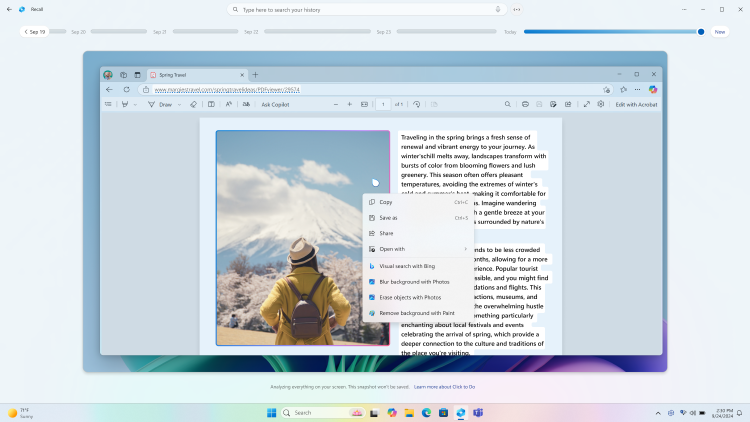
Introducing Windows Click to Do, an AI-Powered Feature to Boost Your Efficiency
Windows Click to Do brings AI to your PC: select text, images or files and get smart actions instantly. See how this AI-powered Windows feature boosts your efficiency.
Windows Click to Do brings AI to your PC: select text, images or files and get smart actions instantly. See how this AI-powered Windows feature boosts your efficiency.

Microsoft is removing Autofill from Authenticator by July 2025 and pushing users to Edge. Here's why the feature is being retired and what to use instead.
Need to turn off Windows Defender without third-party antivirus? Safe ways to disable Defender temporarily or permanently, via Settings, Registry and Group Policy.
See localhost proxy configuration detected but not mirrored to WSL? Switch to mirrored networking with autoProxy to fix it in 2 minutes, full .wslconfig included.

Getting WSL error 0x80071772 when installing Ubuntu from the Microsoft Store? Fix it in under 5 minutes with these 3 simple steps. No reinstall needed.
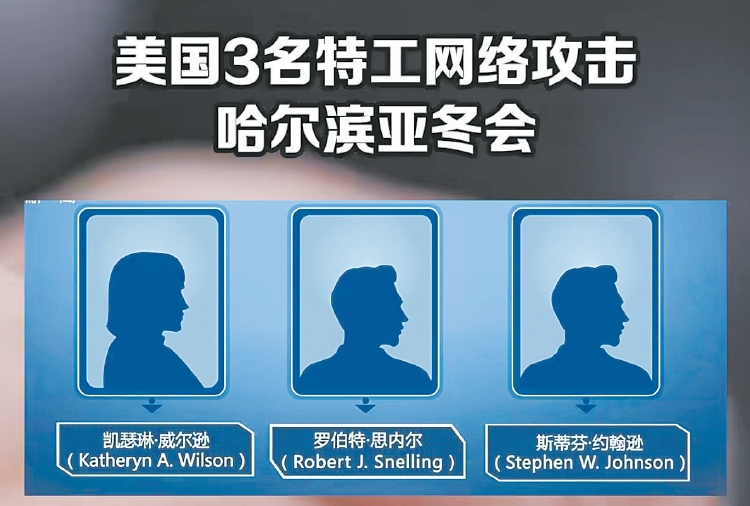
Chinese authorities reveal NSA operatives allegedly used Windows backdoors to attack the 9th Asian Winter Games in Harbin. The full timeline and evidence explained.

Microsoft turns 50. From Bill Gates and Paul Allen's 1975 founding to Windows, Office and beyond, relive the milestones that changed computing.
Windows Sandbox is a built-in feature of Windows Pro and Ent editions. It provides a virtual environment so that you can do something without modifying your OS.