Microsoft 365 Family Storage Drops From 6 TB to a Shared 2 TB Pool
Microsoft 365 Family and Premium now include one 2 TB pool instead of 1 TB per person. Here are the dates, the fine print, and who actually loses storage.

- Louis
- 7 min read
- Affiliate Disclosure
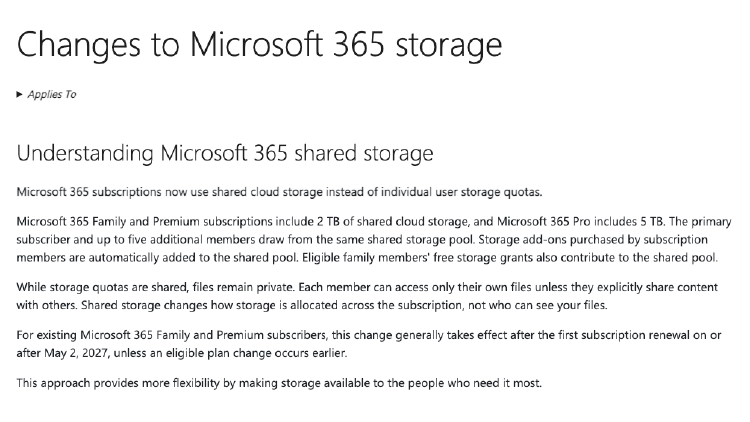
Microsoft has changed how OneDrive storage works across its consumer subscriptions, and the per-person quota is gone. Microsoft 365 Family and Premium now include a single 2 TB pool that the primary subscriber and up to five other members draw from. Microsoft 365 Pro moves to 5 TB on the same shared model.
There was no press release. The change sits in a support document called Changes to Microsoft 365 storage, and reporting on it began on October 9, 2026.
What changed, in one table
Storage used to be attached to the person. Every member of a Family plan held their own 1 TB, which is why a fully used six-person plan could reach 6 TB. It is now attached to the subscription: one pool, no personal allocation, and nobody can go past the shared ceiling on their own.
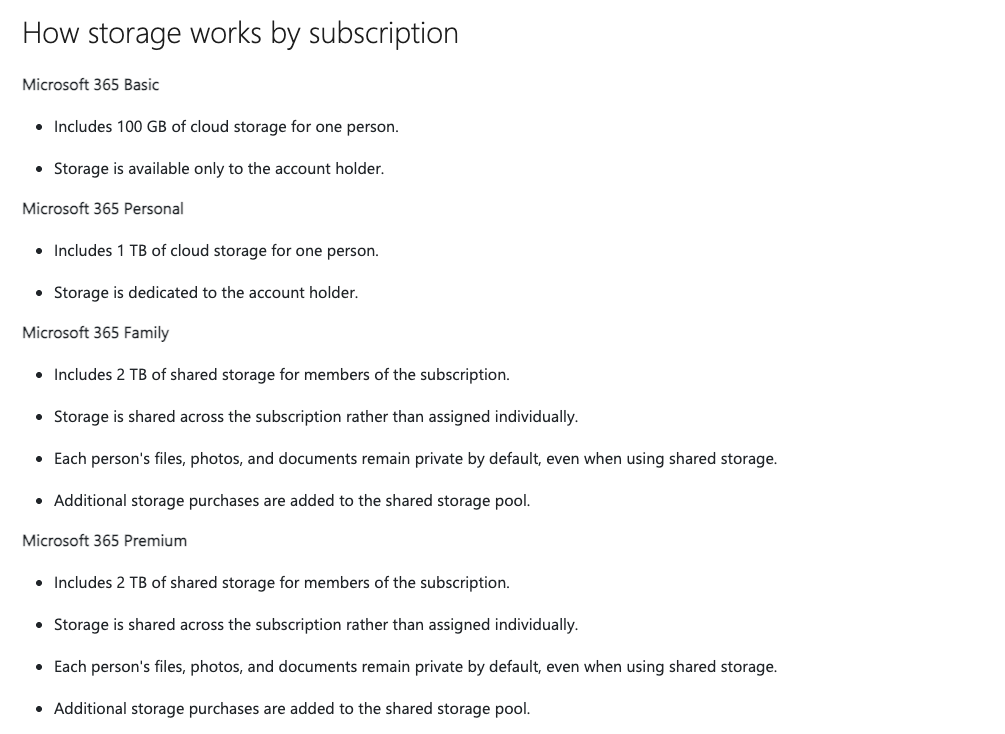
| Plan | Included storage | List price (US, October 2026) |
|---|---|---|
| Microsoft 365 Basic | 100 GB, one person | – |
| Microsoft 365 Personal | 1 TB, one person | $99.99/year |
| Microsoft 365 Family | 2 TB shared by up to 6 people | $129.99/year |
| Microsoft 365 Premium | 2 TB shared by up to 6 people | $199.99/year |
| Microsoft 365 Pro | 5 TB shared by up to 6 people | – |
Two lines in the document matter more than the headline number.
- Files stay private. The pool is shared; the folders are not. Members can still only reach their own files unless they share something deliberately. Only the quota accounting changed, and some of the coverage out there has this wrong.
- Add-ons join the pool. Storage that a member buys on their own goes into the shared pool, and so do the free storage grants that some family members are eligible for.
The dates, and the upgrade catch
- October 8, 2026 — new and upgraded subscriptions already run on the shared model. Anyone who bought or upgraded since then has 2 TB, not 6.
- May 2, 2027 — existing Family and Premium subscribers move over at their first renewal on or after that date. Nothing changes before then, and Microsoft says it emails subscribers ahead of the renewal. Some localized versions of the same support page give April 1, 2027, so treat the date on your own renewal notice as the one that counts.
- November 1, 2027 — that is the equivalent date for existing Microsoft 365 Pro subscribers, according to Microsoft’s storage quota page.
- An upgrade moves you early. If an existing subscriber changes plan before May 2, 2027, for example from Family to Premium, the shared model is applied as part of that change. A downgrade on its own does not trigger it.
That last point is the one worth watching. A household on an older Family subscription, comfortably using 4 TB, can lose the old arrangement simply by upgrading for the Copilot features.
Microsoft also mentions transitional bonus storage. Existing Family and Premium subscribers in supported markets may get extra storage when the plan renews after the rollout. It is free and it is added to the subscription, but eligibility varies, so the email matters more than the blog posts.
What happens when the pool fills up
This part is more forgiving than the headline suggests.
- Microsoft sends notifications as the subscription approaches 2 TB, before uploads stop.
- Members keep access to their files for up to one year after the subscription goes over the limit, which leaves time to move data or buy more space.
- Storage can be added to the subscription up to a 10 TB total. Add-ons feed the shared pool like everything else.
What changes is the shape of the problem. Running out of space stopped being one person’s issue, because the household hits the limit together. Four members storing 500 GB each fill a Family plan completely.
Why Microsoft says it is doing this
Microsoft’s own explanation is flexibility: storage “automatically goes where it’s needed”, members are less likely to hit individual limits, and unused space stops going to waste.
The old model did waste space. A family where one person sat at 950 GB while another used 40 GB could not move the difference, even with terabytes of the subscription sitting empty. On allocation efficiency, the pool is the better design, and cloud storage has worked this way for years elsewhere.
Microsoft does not address the other half of the trade in the document. Asked directly whether this is a reduction in storage, it answers by describing flexibility again. Five members who each stored a terabyte now share two, and the document does not say otherwise. The timing lands as storage costs across the industry are climbing, though Microsoft has not linked the two.
Who actually loses
Run the numbers by household size, and the change looks very different depending on how many people use the plan.
| Members using the plan | Ceiling before | Ceiling after |
|---|---|---|
| 1 | 1 TB | 2 TB |
| 2 | 2 TB | 2 TB |
| 3 | 3 TB | 2 TB |
| 4 | 4 TB | 2 TB |
| 6 | 6 TB | 2 TB |
A single user on a Family plan comes out ahead. The owner of an unshared subscription can now use the full 2 TB instead of the 1 TB they had, at the same price. Two people break even on capacity and gain flexibility, since one heavy user can take more than half the pool.
The damage starts at three. A household of four backing up phones and photo libraries at 600 GB each is holding 2.4 TB. That household was fine last month and is roughly 400 GB over the limit today, purely because the storage stopped being separated.
The cost per terabyte tells the same story. A six-person household was paying $129.99 for up to 6 TB, about $21.67 per terabyte per year. The same subscription now buys 2 TB, or about $65 per terabyte. Nothing about the price changed.
Anyone who bought Family for one person’s data while the other seats sat empty is in the opposite position. For them this is a 1 TB upgrade, not a downgrade.
What to do before your renewal
If the household stores less than 2 TB across all members, nothing needs doing. Above that, the options are the ones Microsoft lists:
- Free up space. The storage dashboard at
account.microsoft.comshows what is using it, and old phone backups are usually the answer. - Buy add-on storage. Add-ons join the shared pool, up to 10 TB in total.
- Move to a larger tier. Microsoft 365 Pro, listed in the same document, includes 5 TB of shared storage, which restores the ceiling that a six-person household had before.
- Split off to Personal. Anyone who only needs 1 TB of their own can stop worrying about what the rest of the household stores. Family at $129.99/year still comes to about $21.67 per person when six people actually use it.
If you are buying Family again rather than renewing, the 12-month code on Amazon works the same way as before. Check that the seller is Amazon.com and that the listing says Family and 12 months.
Common questions
Q: Does Microsoft 365 Personal change? A: No. Personal keeps 1 TB of dedicated storage at $99.99/year, and Basic keeps its 100 GB. The change covers the plans built around sharing.
Q: I already store more than 2 TB. Do I lose access immediately? A: No. Access continues for up to one year after the subscription exceeds the limit, with notifications along the way. Nothing is deleted on the switch date.
Q: Can I still buy more storage? A: Yes. Add-ons can take a subscription to 10 TB in total, and they feed the shared pool rather than one account.
Q: Is this a price increase? A: No. List prices are unchanged: Personal $99.99/year, Family $129.99/year, Premium $199.99/year.
Q: I’m on an older Family subscription with 1 TB per person. When does mine switch? A: At your first renewal on or after May 2, 2027, unless you change plans before then. An upgrade applies the shared model right away.
The short version
Microsoft 365 Family and Premium traded the per-person quota for a 2 TB shared pool. That is a cut for households using three or more seats and an upgrade for solo users, with prices untouched. Existing subscribers keep their current storage until the first renewal on or after May 2, 2027, and they keep file access for up to a year past the point where the pool is full.
How the sharing itself works, including the setup steps and the five-device limit, is in our Microsoft 365 account sharing guide, and how to buy Microsoft 365 cheap puts the consumer plans side by side.
