Telegram, as a communication tool, offers unparalleled security and speed, making it a valuable asset for everyone.
The ecosystem of channels and groups offers a never-ending stream of information and conversation. However, you may have encountered this message before: a notification stating that a channel cannot be displayed due to its use in spreading sensitive content.

You may wonder how to enable sensitive content on telegram, don’t worry, you can easily solve this problem following this article.
Method 1: Use Telegram Web APP
This is the easiest method because it has the lowest threshold and most of our smart devices can access it.
Step 1, log into https://web.telegram.org/ with your Telegram account.
Step 2, click on the menu button in the top left corner, choose **Settings**.
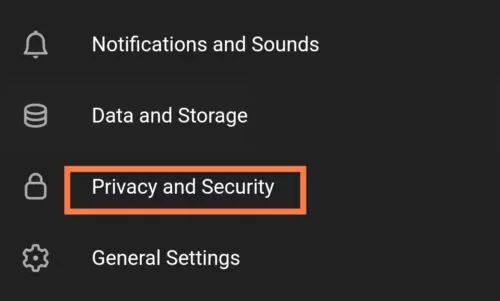
Step 3, go to **Privacy and Security, and then check Disable filtering**.
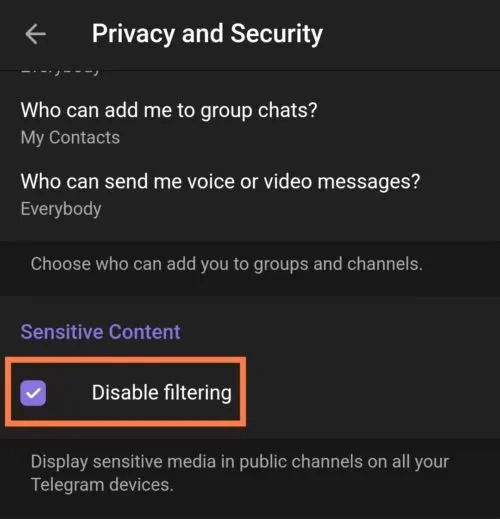
OK, that’s it.
Method 2: Use an Android Device
You can also achieve this by setting up in the Telegram APP for Android.
The first step is to install Telegram for Android from Google Play or other APP stores, and login with your Telegram account.
Then, go to Settings - Chat Settings.
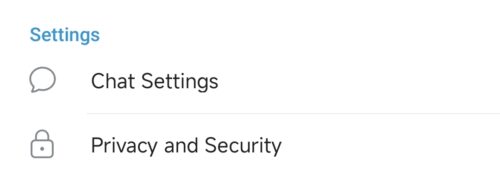
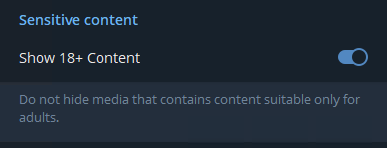
Scroll to the bottom, you’ll find the option called **Show 18+ Content**, enable it to finish the setting.
Method 3: Use a Windows/Mac/Linux Device
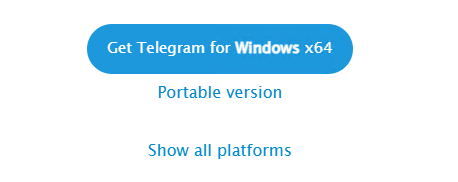
Visit the Telegram Desktop page, it detects which platform you’re using. Take Windows as example, you can download either installer or portable version.
If you’re using MacOS or Linux, click on the link Show all platforms to download corresponding installer.
Step 1: Install or Unpack Telegram Desktop
Still take Windows as example. Once the download is complete, locate the file in File Explorer.
If it is an installer, you should double-click on it to start the installation process. For the portable version, you should unzip it to a specific directory and then run the executable program within that directory.
Step 2: Log into Your Telegram Account
As the settings synchronize across various platforms, ensure that you log into Telegram Desktop using the same account that you use on other platforms, such as your iPhone and Android.
Step 3: Change the Setting
Click on the hamburger menu button on the top left of Telegram interface, and then click on Settings.
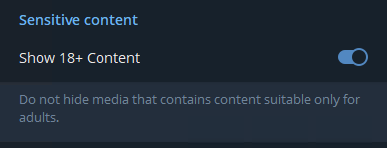
Go to Chat Settings, enable the option Show 18+ Content under Sensitive content.
OK, it’s done.
Now, return to previously unaccessable channels, you’ll find the annoying message is gone.
You may be curious, but the article does not mention how to set it up on iOS. This is because the APP Store’s review mechanism means that Telegram on iOS does not have this option. But don’t worry, because Telegram’s settings are synchronized across platforms, which means that after you set it up using the method in the article, it will also take effect on iOS.
You’ve granted the access to channels containing sensitive content. If the message still shows in certain channel, it doesn’t mean that you’re blocked again, it’s the channel itself being blocked.
What if you wish to revert to the default setting? Simply follow the same path as before and enable filtering, as previously instructed – but I bet you won’t do that.
