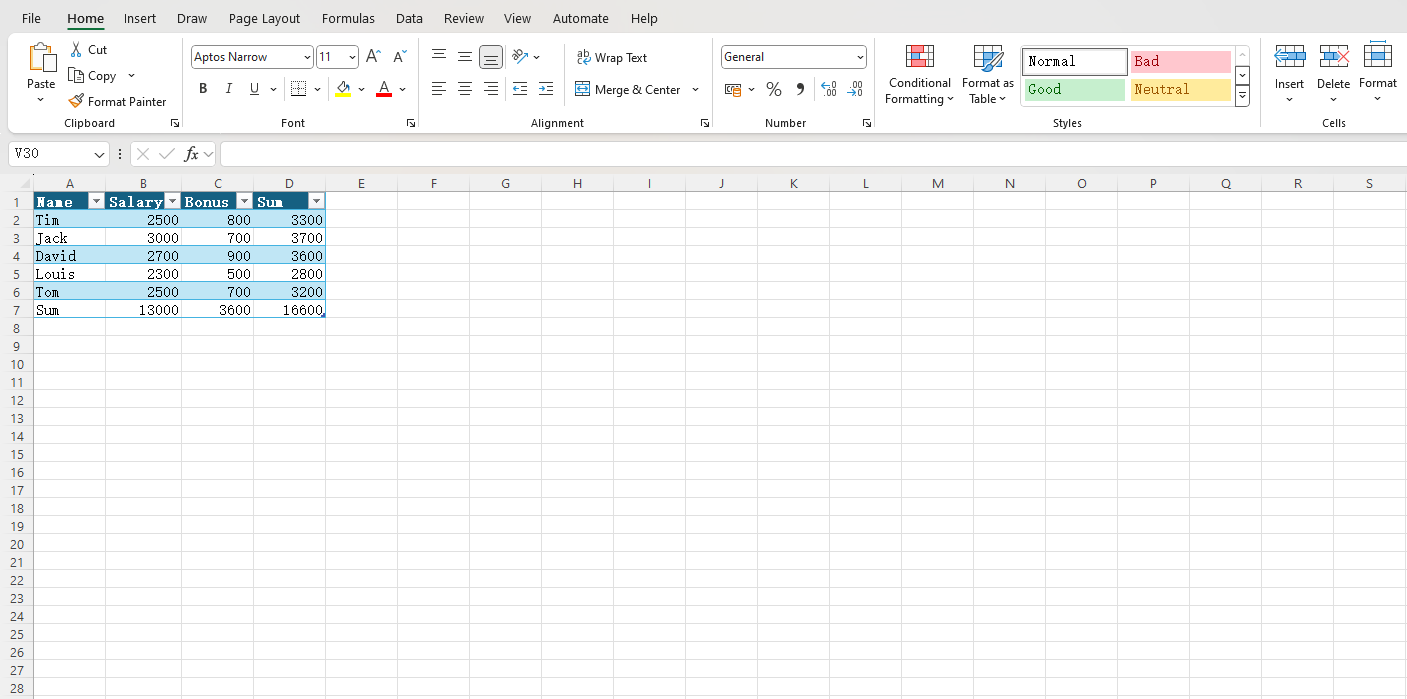
When we deal with Excel tables containing a lot of plain text, it is easy to get visually fatigued looking at a lot of black and white data. At this time, we can use a shortcut key to beautify the table in one second, making it easier to read. For more Excel shortcuts, see how to quickly sum with Alt+= and wrap text within cells.
I recorded a short video to give you a visual experience of how it works.
As you can see from the video, I did the following:
- Select the cells to be beautified;
- Press Ctrl + T ;
- Confirm the selection and complete the beautification.
What does Excel do to the table at this moment?
It applies a Table Style to the selected area, which includes a highlighted header with a filter function, and a background color for every other row of data cells, so that we don’t easily misread the row.
Hopefully this method can help you be more efficient. Click here to read more Office tips.
