Remote Desktop plays an important role in IT management. It enables users to remotly control the system, just like sitting in front of the PC or server.
However, sometimes Remote Desktop connection fails due to firewall settings and other reasons. As we know, Windows Remote Desktop relies on port 3389, and some services like Windows RDP. Troubleshooting Windows Remote Desktop issues can take a lot of time. Is there a tool that can quickly check and fix them?
Of course there is, and the tool was made and published by Microsoft officially. To download it, visit: Download Microsoft Remote Desktop assistant from Official Microsoft Download Center.
How to use Microsoft Remote Desktop assistant?
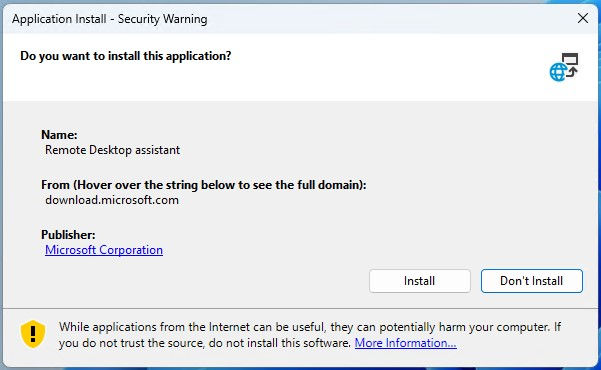
Double click on the executable file you just downloaded to run it. Select “Install” to continue.
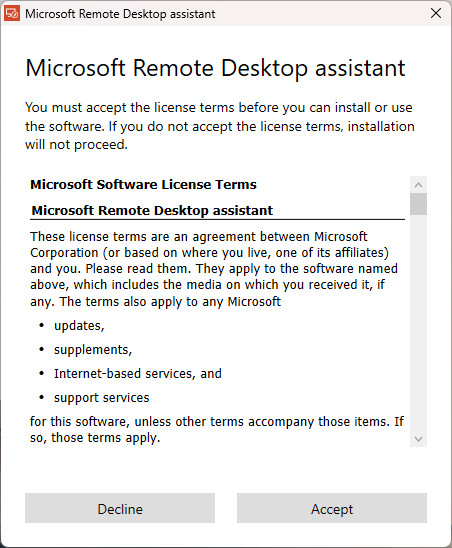
You must accept the license terms to continue the installation. Click on “Accept”.
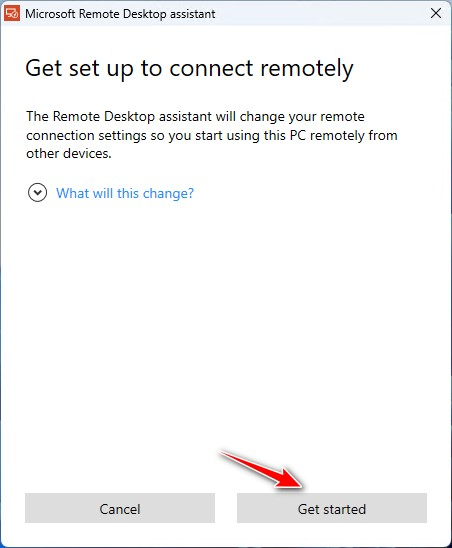
And then, you’ll need to click on “Get Started”.
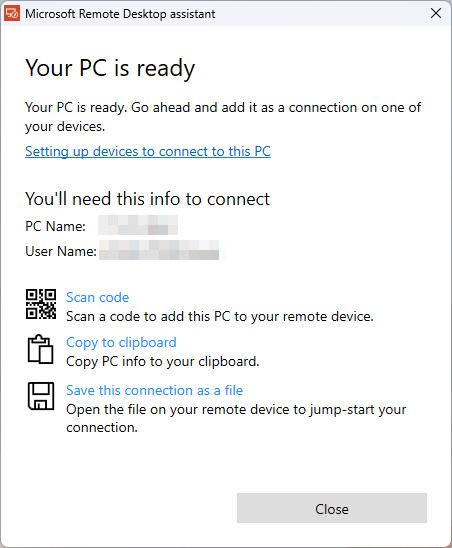
It only takes little time for Microsoft Remote Desktop assistant to check and fix Remote Desktop issues. All things were done when you see “Your PC is ready” on the window. Now you may close the window and try to connect from another device.
Soft reminder
At the end, I want to remind you that, not all Windows editions support Remote Desktop, as mentioned in my previous post. For Windows Home edition, Remote Desktop is disabled by design, so you cannot enable it with this tool.
If you need Remote Desktop feature, we advice to upgrade to Windows Pro.
